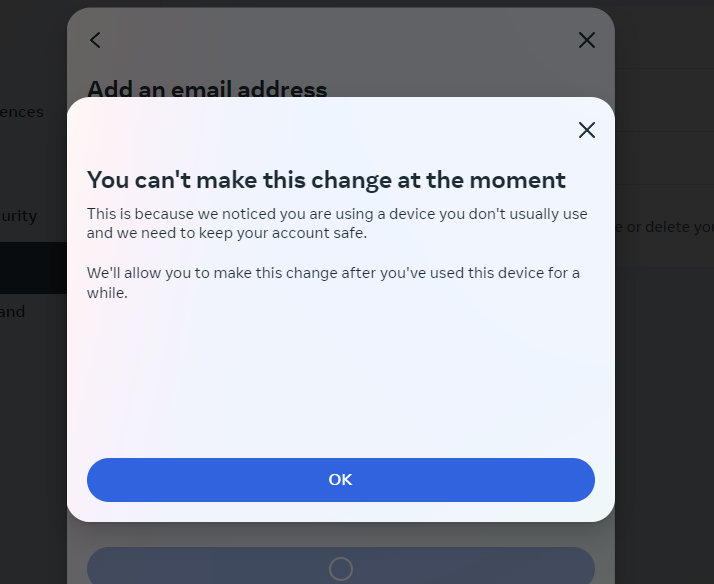
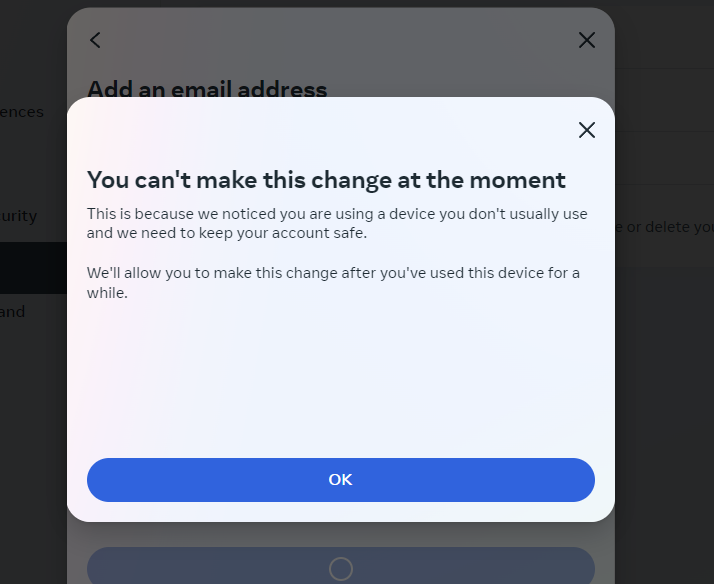
Right now, when you try to add an email to Facebook, you will see a message saying "You can't make this change at the momment".
Here’s how you can successfully add an email to Facebook with a 100% success rate.
How to Add a New Email to Facebook
Step 1: Log in to Facebook
- Open your web browser.
- Go to facebook.com.
- Enter your login details (email or phone number and password).
- Click on the Log In button (then confirm 2FA or email code if requite).
Step 2: Log in to Instagram (Can use any Instagram account, one Instagram account can be used for multiple Facebook accounts)
Take fresh intagram at: https://maxvia88.com/?name=I1%7CInstagram
- Open your web browser or the Instagram app on your phone.
- Visit instagram.com or open the Instagram app.
- Enter your login details (username and password).
- Click on the Log In button.
Step 3: Link Instagram with the New Email

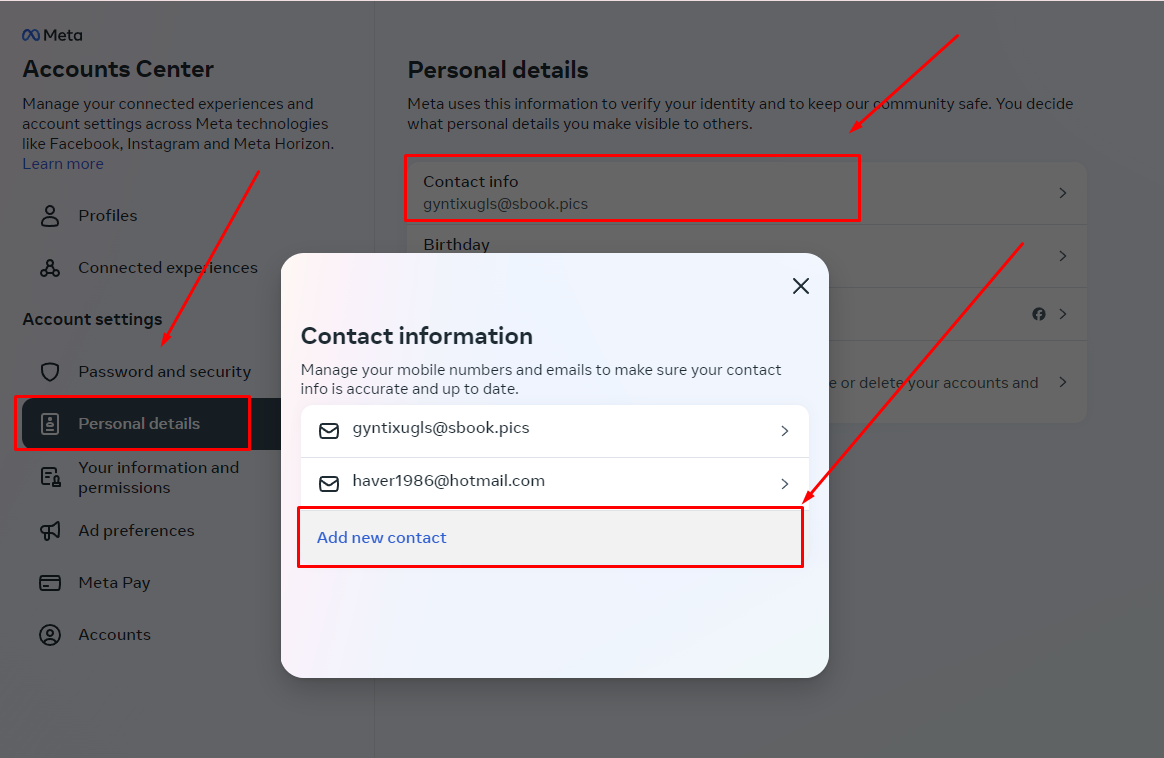
- After logging in to Instagram, go to https://accountscenter.instagram.com/personal_info/
- Add the new email to the Email section.
- Save the changes.
Step 4: Link Facebook with Instagram
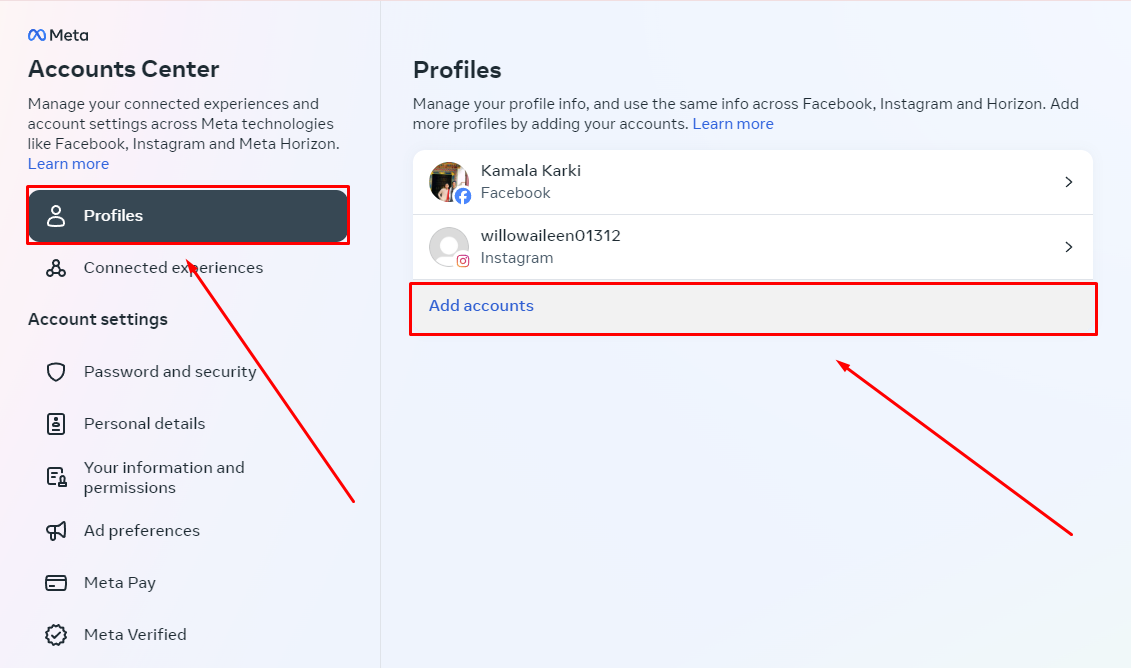
- Go to https://accountscenter.facebook.com/profiles
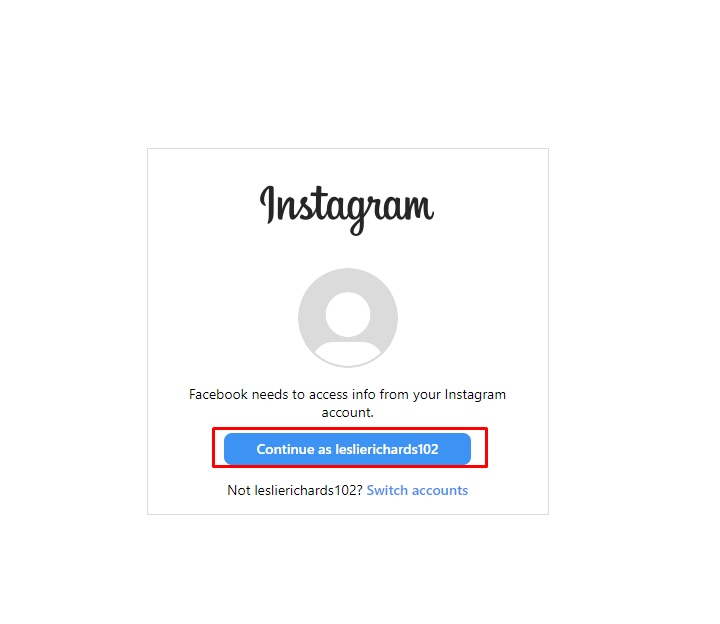
- Tap the Add Accounts then Enter your login details instagram (username and password).
- Continute as instagram and follow the steps to link your Instagram account to Facebook.
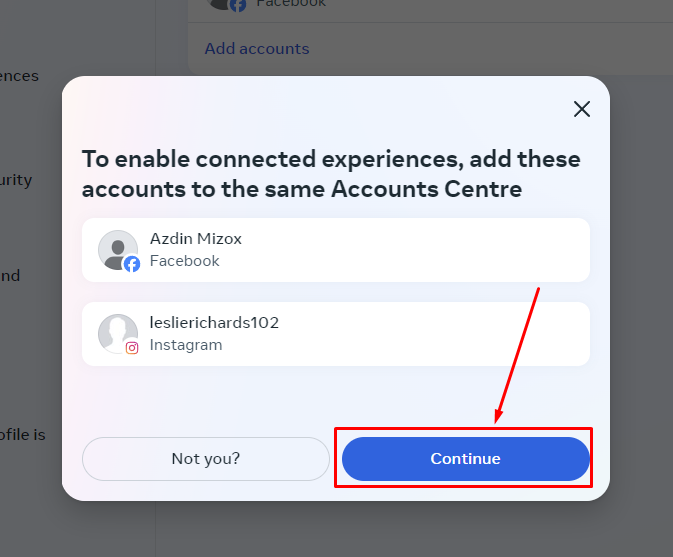
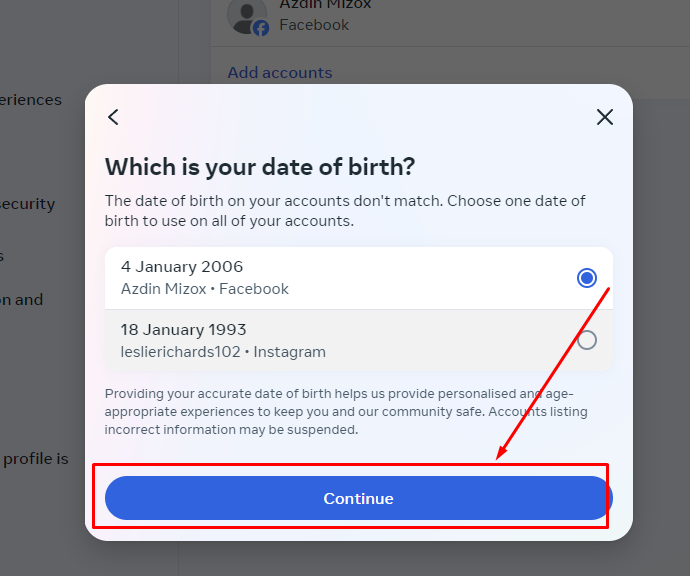
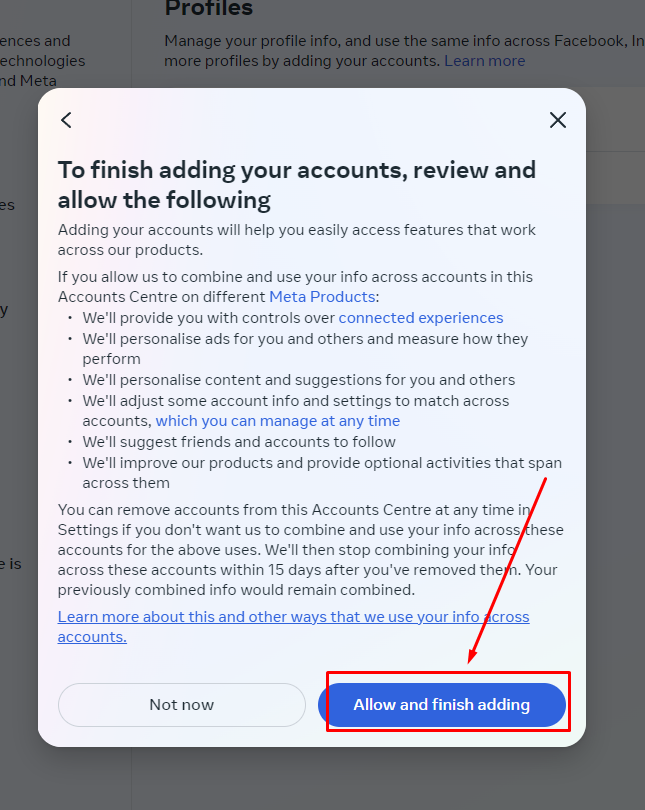
Step 5: Add the New Email to Facebook via mbasic.facebook.com
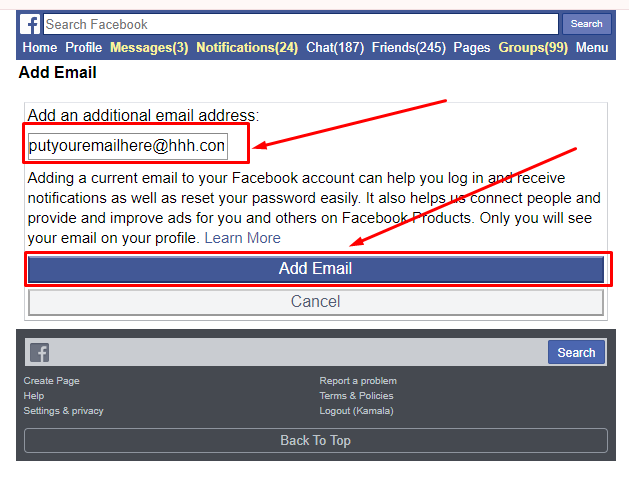
- Visit https://mbasic.facebook.com/settings/email/add? on your web browser.
- Enter the new email that you linked with Instagram.
- Save the changes.